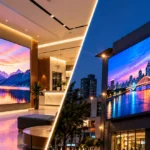

LED signage is meant to give a clear and bright look to a business, building, showroom, or outdoor space. When the sign does not look the way it normally does, the change is usually easy to notice. Maybe the light starts flickering. One part looks dimmer than the rest. You may also see bright and dark spots, or notice that the sign is getting warmer than usual.
These are some of the most common LED signage problems that can come up during regular use.
The good thing is that you don’t always need to replace anything right away. In many cases, the reason can be found by checking the power, wiring, connections, LED module placement, or the conditions around the sign.
Here is a simple look at the problems and what you can check.
What are the most common LED signage problems?
Most lighting issues can be grouped into a few common types:
- Flickering or blinking light
- One section looking dim
- Bright and dark areas across the sign
- Excessive heat
- Power-related issues
- The complete sign not lighting up
- Signage Material
The first thing to notice is where the problem is happening. Does the entire sign go out, or just a letter or section of it? This small detail can make troubleshooting a lot easier.
If there’s only one letter that’s dim, the problem may only be in that section. If the entire sign is affected, the power source or the main connection might need checking.
Let’s look at each problem separately.
1. LED sign flickering
Flickering is one of the easier problems to notice. Sometimes the entire sign flickers. In other cases, only a few letters or sections do it.
Start by checking the connections. Loose wires, poor terminal connections, and damaged cables may cause disruption in the supply of energy. Moisture on connections may also pose an electrical problem in the outdoor signage setup.
The power supply must be verified too. LED modules are supposed to work on certain DC voltage levels, which may vary from 12V or 24V, based on the type of the module.
What to verify?
- Loose wires or terminals.
- Whether the entire sign is affected by the flicker or just one part of it.
- Presence of any moisture and damage in the connections.
- Output of the power supply with appropriate testing equipment.
- Proper match of LED modules and the power supply.
Flicker continues even after the above checks, you must not switch the sign off and on continuously. This way, the problem will be detected and identified by the technician.
2. Some sections look dim
Do you have one part of your sign that looks bright, and another part that looks noticeably weak?
This can occur when power is not being evenly distributed across all sections. Long cable runs can also cause voltage drop, particularly if the wiring and load are not carefully planned.
Start by identifying exactly where the dim section begins. If everything after a particular point looks weaker, that gives the technician a useful starting point.
You should also check the module connections in that area. A loose connection can affect several modules connected along the same circuit.
The power supply load matters too. Installation guides specify how many modules can be connected to a particular power supply, so the system should be planned according to the manufacturer’s loading information.
3. Uneven illumination
Uneven illumination is slightly different from a dim section. Here, the LEDs may all be working, but the sign doesn’t look evenly lit.
There may be some bright spots visible between modules or some darker areas near the edges. Often this has to do with the location of modules, the spacing, the depth of the sign or the way light spreads within the cabinet or letter.
LED modules are usually positioned by the depth and design of the sign. Some signage modules are designed specifically for shallow channel letters and some are designed for deeper cabinets.
Before replacing anything, check:
- Are the modules evenly spaced?
- Are any modules loose or out of position?
- Is the sign face clean?
- Are modules placed at the recommended distance from the face?
- Does the sign have enough depth for the chosen lighting arrangement?
In some cases, simply repositioning a module can improve the light distribution. If the sign was recently installed or modified, checking the original layout is a good place to start.
4. LED sign getting too hot
LED lighting generates less heat than many older lighting technologies, but that doesn’t mean heat can be ignored.
Sign enclosures can become hot, especially if installed outdoors and exposed to direct sunlight. Poor ventilation, a small enclosure or a misplaced power supply can make heat management more difficult.
Check for air circulation around the power supply and other electrical parts. Also look for dirt, blocked ventilation areas, or anything covering the equipment.
Power supplies should be installed according to their installation instructions. For example, US LED’s current sign installation guidance specifies keeping power supplies above the bottom of the sign enclosure to reduce exposure to water accumulation and calls for proper grounding.
If you notice excessive heat, burning smells, melted insulation, or discoloration, turn the system off and have it inspected by a qualified professional.
5. Power-supply issues
When troubleshooting LED signage problems, don’t forget about the LED power supply. It is one of the most important parts of the lighting system as it converts the incoming AC power to the DC power the LED’s require.
A power supply problem can manifest itself in several ways. The sign might not light up, some areas might remain dim, or the lighting may become uneven.
First, determine if the power supply is getting power. Then test the output with the correct electrical test method.
The voltage must match the LED system. A 12V LED module system, for example, requires a compatible 12V DC supply. Current signage systems can also use 24V DC systems, so you should never assume that every LED sign uses the same voltage.
Also check the total load. A power supply should not be asked to operate more modules than its rated capacity.
6. The whole sign suddenly goes dark
If the whole sign is not working, start with the basics. Turn off the circuit breaker or disconnect switch. If there is power, check the main connection, then the power supply. If the power supply is getting the right input but not giving the output that it should, it may need to be tested by a professional or replaced.
Outdoor signs also need attention after severe weather. Water entering an enclosure or electrical connection can create problems even when everything worked normally before a storm.
Final thoughts
Most LED signage problems don’t appear out of nowhere. Flickering, dim sections, uneven illumination, overheating and power-supply problems tend to leave clues as to where to look.
The trick is to troubleshoot methodically. Check the power source first. Check connections, wiring, the location of the module, the load and the heat. Don’t assume that changing out an LED module will fix it.
If you are looking for LED modules, LED power supplies, or other sustainable signage materials, explore the range available from Sun Sign & Technologies. Our team can help you choose signage materials that suit your signage requirements and application.
Explore our signage solutions or get in touch with us to discuss your project.



 Chat with Us
 Call Us Now